
Shopify POS UI Extension Development: What You Can Build
A practical guide to Shopify POS UI extension development: what you can build, new reactive storage and virtualized lists, scoping, testing, and build vs hire.

Shopify POS UI extension development lets you add custom screens, actions, and data to the Shopify POS app—without building a separate POS. If you need loyalty prompts, staff tools, or cart modifications at checkout, a POS UI extension is the right approach. This guide covers what you can build, new capabilities like reactive storage and virtualized lists, how to scope and test, and whether to build in-house or hire a partner.
What a Shopify POS UI extension can do for a retail store
A POS UI extension runs inside Shopify POS (iOS, Android, and web) and can:
- Add custom tiles, modals, and full-screen views to the POS interface.
- Read and write cart data, customer data, and order data (with permissions).
- Call your backend or third-party APIs to fetch loyalty points, product info, or staff tasks.
- Trigger actions like applying discounts, adding line items, or printing receipts.
- Use reactive storage to keep UI in sync with cart changes.
- Render large lists efficiently with the new virtualized list component.
Extensions are built with Shopify’s POS UI extension framework (React-based) and deployed as part of a Shopify app. They appear in the POS smart grid or as full-screen modals.
New capabilities: reactive storage access and the s-pos-list virtualized list
Shopify recently added two features that make POS extensions more powerful and responsive:
Reactive storage access
Previously, extensions had to poll for cart changes. With reactive storage, your extension subscribes to storage changes (like cart line items or customer data) and automatically re-renders when data updates. This is ideal for live cart displays, loyalty point balances that update after a purchase, or staff dashboards that reflect real-time order status.
How to use it: Use the useStorage hook (or equivalent) to subscribe to a storage key. The component re-renders when the value changes. No manual polling.
s-pos-list virtualized list
The s-pos-list component renders long lists efficiently by only rendering visible items. This is critical for product catalogs, customer lists, or order history with hundreds of entries. It supports infinite scroll and item selection.
When to use it: Any list that could exceed ~50 items. It keeps the POS UI smooth and reduces memory usage on older devices.
These features are part of the latest POS UI extension API. Check Shopify’s developer docs for exact version requirements.
Common POS extension use cases (loyalty, custom cart actions, staff tools)
Here are practical examples merchants ask for:
| Use case | What it does | Key APIs |
|---|---|---|
| Loyalty points display | Shows customer’s points balance and redeem button in cart | Customer API, reactive storage |
| Custom cart actions | Adds a “Gift wrap” or “Assembly” line item with price | Cart API |
| Staff task list | Shows daily tasks (restock, cleaning) with checkboxes | Backend API, s-pos-list |
| Product info lookup | Scans barcode and shows stock across locations | Product API, Inventory API |
| Age verification | Prompts for ID check before adding restricted items | Cart API, modal |
| Receipt customization | Adds QR code or survey link to printed receipt | Receipt API |
Each of these can be built as a POS UI extension and packaged into a Shopify app. For custom Shopify app development, see our Shopify apps service.
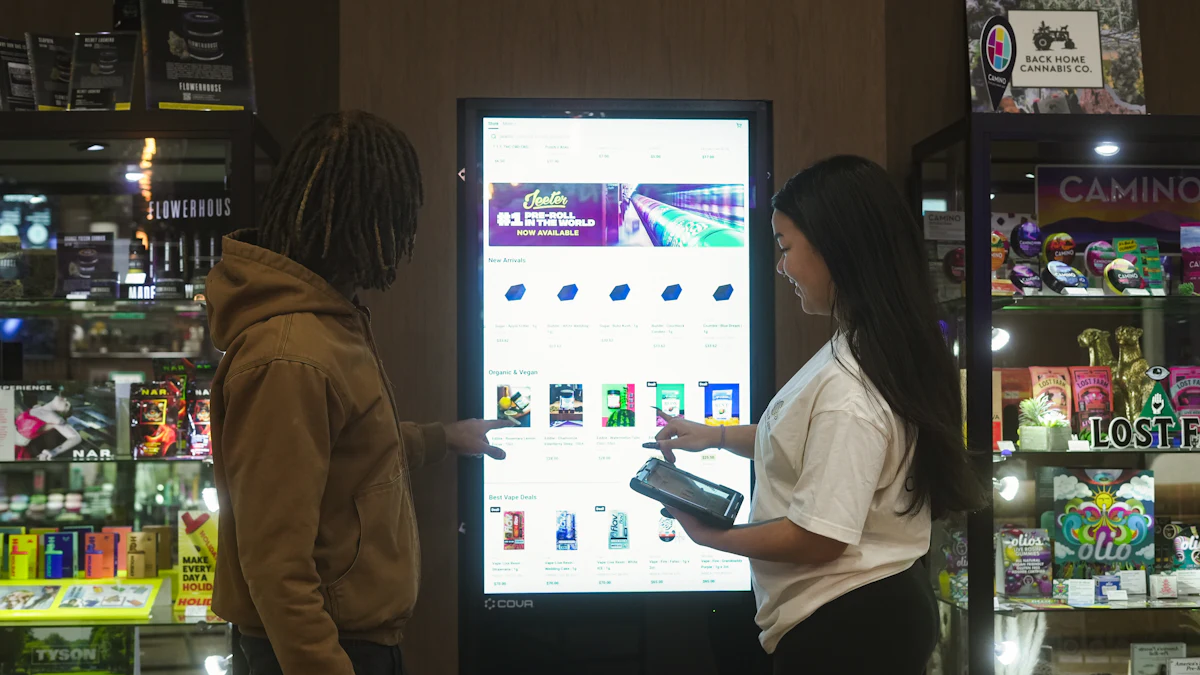
How to scope, price and test a POS extension before launch
Scoping a POS extension is similar to any Shopify app, but with POS-specific constraints. Follow these steps:
1. Define the user flow
Write a one-page spec: who uses it (cashier, manager), when (during checkout, before payment), and what data is needed. Example: “Cashier sees loyalty points after adding customer; can redeem 100 points for $5 off.”
2. Choose the extension type
- Tile: small card in smart grid, opens modal.
- Modal: full-screen overlay for focused tasks.
- Action: button in cart or product page.
3. Map data requirements
List every API call: customer lookup, cart read/write, external loyalty API. Confirm permissions and rate limits.
4. Prototype with mock data
Build a static React prototype using Shopify’s POS UI kit. Test on a development store with POS Pro (required for extensions). Validate layout on small screens.
5. Test on real devices
POS extensions run on iPad, Android tablets, and web. Test on at least one iOS and one Android device. Check offline behavior: POS can go offline, so your extension should handle network failures gracefully (cache data, show error states).
6. Pricing factors
Cost depends on complexity:
- Simple tile with static content: low effort.
- Cart modification + backend integration: medium.
- Real-time sync with external loyalty system + virtualized list: high.
Most custom POS extensions range from a few weeks to a few months of development. Get a fixed quote after the prototype.
7. Launch checklist
- Extension published as part of a Shopify app (public or custom).
- App installed on the store with required scopes.
- Staff trained on new tile/action.
- Fallback plan if extension fails (e.g., manual discount).
- Monitoring for API errors.
Build vs hire: choosing a Shopify app development partner
You have three options:
- In-house team: Full control, but requires Shopify app experience, POS device testing, and ongoing maintenance. Best if you have a dedicated Shopify developer.
- Freelancer: Cheaper, but risk of incomplete scoping or lack of POS-specific knowledge. Vet their portfolio of POS extensions.
- Agency/partner: End-to-end scoping, development, testing, and support. Look for experience with POS UI extensions, reactive storage, and virtualized lists. Ask for references from retail clients.
When evaluating a partner, ask:
- Have you built a POS UI extension before? (Ask for a demo.)
- How do you handle offline mode and device testing?
- What is your process for scoping and change requests?
- Do you provide post-launch support and updates for Shopify API changes?
At Digital Executive Partner, we build custom Shopify apps and POS UI extensions. We handle scoping, development, testing on real devices, and long-term support. See our Shopify apps service for details.
Conclusion
Shopify POS UI extension development is a practical way to customize in-store checkout without replacing Shopify POS. Start with a clear user flow, use reactive storage and virtualized lists where they fit, test on real devices, and choose a partner who has done it before. If you’re ready to scope your extension, contact us to discuss your requirements.
Related reading
- Custom Shopify App Development Services: What You Get
- Shopify Custom App Development Company: What to Look For
- Shopify POS UI Extensions: Fast Lists with s-pos-list
- Shopify Integrations: What to Connect, Build, or Skip
- Shopify Flow AI Toolkit Automations: What to Build
- Is Shopify Customizable? What You Can Change and Build
Frequently asked questions
What is a Shopify POS UI extension?
A Shopify POS UI extension is a custom component that runs inside the Shopify POS app, adding tiles, modals, or actions to the point-of-sale interface. It’s built with Shopify’s POS UI extension framework and packaged as part of a Shopify app.
Do I need Shopify POS Pro to use POS UI extensions?
Yes, POS UI extensions require a store on Shopify POS Pro. You also need a development store or a staff account with permission to install apps.
Can a POS UI extension work offline?
POS can operate offline, but extensions must handle network failures gracefully. Cache critical data locally and show clear error states. Shopify’s APIs may not be available offline, so design fallbacks.
How much does it cost to develop a Shopify POS UI extension?
Cost varies by complexity. A simple tile with static content is a low-effort project; cart modifications with backend integration are medium; real-time sync with external systems and virtualized lists are high. Most custom extensions take a few weeks to a few months. Get a fixed quote after a prototype.
What are reactive storage and s-pos-list in POS extensions?
Reactive storage lets your extension subscribe to data changes (like cart updates) and automatically re-render. The s-pos-list component is a virtualized list that efficiently renders long lists by only drawing visible items. Both improve performance and responsiveness.
Ready to build your Shopify POS UI extension?
Tell us what you need to add to Shopify POS. We’ll scope it, prototype it, and give you a fixed quote.